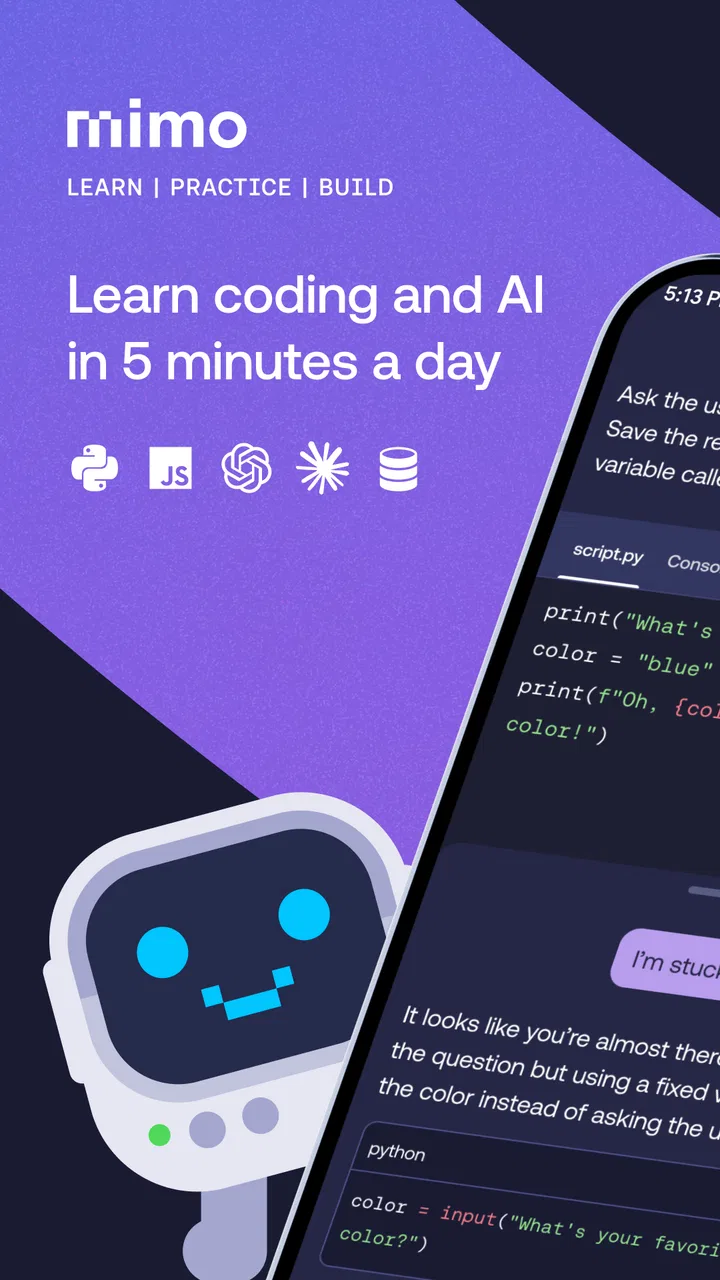
Learn Python Coding - Mimo
- 4.7
- Rating
- 10.00M
- Installs
- Free
- Price

 Analysis by App-foxy
Learning to code sounds simple until the first lesson asks you to understand an error, remember a new symbol, and decide what to try next. I found Mimo: Learn to Code most useful when I treated it as a small daily practice tool rather than a complete replacement for a computer-based course. It is an Education app from Mimo: Learn to Code, built around short lessons in Python, JavaScript, and HTML. The free starting point makes it easy to test, while optional in-app purchases range from $9.99 to $299.99 per item.
My overall impression is positive, but it depends heavily on your goal. If you want a gentle way to build a habit, understand basic programming vocabulary, or use spare moments to practise syntax, this app is approachable. If you expect a full development environment, long explanations, or unrestricted project work from your phone, you may feel limited. The best results come from using it as the first step in a wider learning routine.
Where learners usually get stuck
The biggest difficulty is not opening the app; it is knowing how to respond when a lesson stops feeling obvious. Short exercises can create the impression that coding is just choosing the right answer, but the real challenge begins when you need to understand why one line works and another does not. I had to slow down and read each prompt instead of tapping quickly through familiar-looking examples.
You May Also Like

 Pandora - Music & Podcasts
Pandora’s Music Is Easy to Start, but Harder to Recover
Pandora’s strength is its low-effort path from a seed to a station. Its weak spot is how much confidence it asks you to place in connection, setup, and quiet recovery.

 8 Ball Pool
 Is Built on Rivalries, Rematches, and Routine
A close look at the rivalries, rematches, shared routines, and unanswered safety questions that turn a quick pool match into a persistent mobile community.

 Samsung Music
’s Quiet Strength Is Playing What You Already Own
Its reach comes less from spectacle than from dependable access to a personal library. That simplicity is both the app’s strongest retention engine and its ceiling.

 AccuWeather: Weather Radar
AccuWeather Review: A Quick, Clear Forecast for Everyday Decisions
For everyday plans, the best forecast is the one you can understand quickly. AccuWeather makes rain timing, radar, and local conditions easy to act on, with a few trade-offs.

 Hill Climb Racing
Why Hill Climb Racing Still Turns Crashes Into One More Run
A tiny car, a bumpy hill and one more upgrade: Hill Climb Racing keeps resurfacing because its simple chaos makes every near-miss feel personal.

 AliExpress - Shopping App
AliExpress Makes Global Shopping Feel Personal, but Shoppers Bear the Risk
AliExpress turns a global marketplace into a pocket-sized discovery engine. Its reach is useful, its shopping loop compelling, and its trade-offs easy to miss.
More From Our News Desk
View All News


The bite-sized format is helpful for consistency, yet it can also hide the size of the subject. A five-minute session may introduce a useful idea, but it will not automatically teach you how that idea behaves inside a larger program. For example, recognising a Python variable in an exercise is different from deciding how to organise several variables in a personal script. I recommend writing a short note after each session: what the concept does, what syntax it uses, and one situation where you might use it.
Beginners can also get confused by switching between Python, JavaScript, and HTML too quickly. These are related to web and software work, but they do different jobs. Python is a sensible place to focus if you are learning general programming logic. HTML is more suitable when your interest is the structure of web pages. JavaScript becomes more relevant when you want pages to react to user actions. Choosing one path first prevents the early lessons from becoming a collection of disconnected terms.
Another common sticking point is an error message. A mistake in punctuation, spelling, brackets, or indentation may look minor, but programming languages treat small differences seriously. When I reached an exercise that did not behave as expected, the most useful response was to compare the answer character by character rather than guessing randomly. That habit is more valuable than simply getting the next question right.
The app works best when each short lesson becomes a prompt for active recall, not a passive quiz. After completing an exercise, try to reproduce its idea without looking. If the lesson introduces a condition, write a plain-language example such as “show this message only when the user is logged in.” This turns a quick mobile interaction into a stronger memory exercise.
What to check before blaming the lesson
When something appears stuck, I first check the simple things. I make sure the answer is entered in the expected form, that quotation marks and brackets match, and that I have not accidentally added a space or character that changes the code. On a phone, the keyboard can make punctuation less visible than letters, so it is easy to overlook a missing symbol.
I also reread the wording. A coding exercise may ask for a specific output, a particular value, or a line in a particular position. Two answers can look logically similar while only one matches what the lesson is testing. That is not always a flaw in the app; sometimes the exercise is checking exact syntax rather than broad intent.
It helps to close distractions before studying. Notifications, switching between apps, or trying to learn while travelling through an unreliable connection can make a small lesson feel more difficult than it is. I prefer beginning with a clear ten-minute window, completing one concept, and then stopping to summarise it. The short format supports this approach, but it does not remove the need for concentration.
Device compatibility is another sensible first check. Mimo supports Android devices running version 9 or later, so an older phone may need attention before you spend time troubleshooting the lessons themselves. Keeping the operating system and the app current is a practical step when screens, input, or loading behave strangely. The current app version is 9.1.1, which is useful to remember when checking whether an update is available.
If you are installing it for a child or younger learner, the Everyone content rating is reassuring from an age-classification point of view, but I would still take part in choosing the learning path. The most suitable language depends on the learner’s interest and patience. A young beginner interested in making web pages may respond better to HTML than to abstract programming examples, while another learner may enjoy Python’s clearer general-purpose exercises.
Recovering a study routine after a failed session
A frustrating session does not have to end the learning plan. My preferred recovery method is to step back one lesson rather than repeatedly forcing the same answer. Review the example, identify the smallest rule involved, and then attempt the exercise again without changing several things at once. This makes it easier to tell whether the problem was syntax, interpretation, or simple memory.
If an exercise still feels unclear, write the code in plain English first. For a conditional statement, describe the decision before thinking about punctuation. For a loop, describe what should repeat and when it should stop. This translation is especially useful on a phone because the limited screen makes it harder to hold a long piece of code in view. The app is good for introducing these ideas, but your own notes provide the extra space needed to reason through them.
I also recommend keeping a small “mistake list.” Mine would include errors such as forgetting a closing bracket, confusing text with a number, or using a name inconsistently. These are not glamorous notes, but they reveal patterns. When the same mistake appears again, I can check the list before assuming that a new concept is responsible.
Do not measure progress only by how many lessons you finish. A better test is whether you can explain the idea without the prompt. If you complete a lesson on variables but cannot describe what changes when a value is reassigned, spend another session practising that concept. The app’s compact lessons make review easy, but the learner has to decide when review is necessary.
For a realistic everyday routine, imagine having a short break before an appointment. I would complete one lesson, save the key rule in a note, and later spend a longer session on a computer recreating the example from memory. The mobile session supplies the introduction; the computer session checks whether the idea survives outside the guided exercise. This two-stage workflow is more effective than trying to turn every spare minute into a complete programming course.
When the problem is outside the app
It is important to separate learning frustration from technical trouble. If the lesson loads but the answer is marked incorrect, inspect the code and wording first. If the screen fails to load, input does not respond, or progress behaves unexpectedly, basic steps such as restarting the app, checking the connection, and installing available updates are reasonable. These actions do not solve every issue, but they prevent a simple temporary problem from being mistaken for a lesson design problem.
Storage and device performance can also affect any mobile learning app. A phone that is already struggling with several apps may make transitions feel slow. Closing unused apps and restarting the device can help you identify whether the problem is specific to Mimo or part of a broader device issue. I would avoid repeatedly reinstalling an app before considering whether local progress or account information might be affected.
Payments deserve a separate check. The app is free to download and use at an entry level, but it includes optional purchases, with individual items listed from $9.99 to $299.99. Before committing, I would read the purchase screen carefully and decide whether the available learning access matches my intended study period. A learner who only wants to sample the teaching style should begin with the free experience rather than assuming every part of the catalogue is included.
This pricing structure is one reason I would not recommend buying immediately to someone who has never completed a coding lesson. First find out whether the short-session format suits you, whether you prefer Python, JavaScript, or HTML, and whether you are willing to practise outside the app. A paid option is more meaningful once you know that the habit will last beyond the first burst of enthusiasm.
How it compares with familiar alternatives
Compared with a traditional textbook, Mimo feels lighter and more interactive. You can practise a small idea without carrying a long chapter in your head, and the immediate exercise gives the session a clear finish. The trade-off is depth. A book can spend several pages explaining why a concept matters, show multiple edge cases, and provide larger exercises. I would choose the app for starting momentum and a book or longer course for careful reference.
Compared with video tutorials, the app asks me to participate more often. Watching someone type code can be comfortable, but it is easy to confuse recognition with understanding. Short coding prompts expose that difference quickly. On the other hand, video is often better for seeing a complete workflow, especially when setting up a project, navigating files, or understanding how separate pieces fit together. Mimo is stronger for repetition; video is often stronger for visual context.
Compared with coding directly in a desktop editor, the app is less flexible but less intimidating. A real editor lets you create files, run larger programs, inspect mistakes, and build something personal. Those freedoms also introduce setup friction that can overwhelm a complete beginner. I see Mimo as a bridge: it can help you learn enough vocabulary and syntax to approach a desktop environment with less fear, but it should not be mistaken for that environment.
Its large audience reflects broad appeal: the app has a 4.7 average from around 701 thousand ratings and more than 10 million installs. Those figures suggest that many learners find the format approachable, but they do not guarantee that it will fit every learning style. Someone who needs long explanations, offline reference material, or advanced software engineering practice should look beyond a mobile lesson app.
Who should use it, and who should skip it
I would recommend Mimo to a complete beginner who wants structure without a heavy first commitment. It also suits a student who needs a quick review of basic syntax, a curious adult testing whether programming is enjoyable, or a web learner who wants to distinguish HTML from JavaScript before starting a larger course. The daily format is particularly useful for people who struggle to begin when a lesson has no clear endpoint.
I would be more cautious about recommending it as the only resource for someone preparing for a professional programming role. You will eventually need larger projects, debugging practice, documentation skills, and experience working outside guided prompts. The app can support the foundation, but it cannot replace the messy problem-solving that comes from building and fixing your own work.
It may also be the wrong choice for a learner who dislikes gamified or highly segmented study. Some people understand better through a long explanation followed by a substantial project. If you already know the basics and want to work with frameworks, databases, or a specific development environment, the introductory structure may feel too slow or narrow. In that case, a focused course and a computer-based editor would probably offer better value.
My practical verdict
I came away viewing Mimo as a well-designed entry point rather than a complete programming school. Its strongest quality is the reduction of starting friction: choose a language, complete a compact exercise, and return later without needing to plan a large study block. That simplicity is valuable, especially when the alternative is postponing learning indefinitely.
My advice is to start with one language, use the free access to test the teaching style, and keep a separate note for rules and mistakes. After each lesson, recreate one small example without copying it. Once the guided exercises feel comfortable, move to a computer and make a tiny personal project so you can discover what the app does not practise as deeply.
The developer is Mimo: Learn to Code, and the app has been available since June 19, 2018. With its Everyone rating, free entry point, and broad language choice, it is easy to approach. Just keep the optional purchase range in mind and judge progress by understanding rather than lesson count.
My recommendation is simple: use it if you want a friendly daily doorway into Python, JavaScript, or HTML. Do not use it as your only destination. For the right learner, it creates the habit and confidence needed to take the next step; for an experienced coder, or anyone seeking full project control immediately, a desktop editor and a deeper course will be the better fit.
FAQs for Learn Python Coding - Mimo
01What is Mimo, and how does it help me learn coding?
Mimo is a mobile app designed to teach users coding and programming through interactive lessons and exercises. It offers a variety of languages like Python, JavaScript, HTML, and more. The app is structured to cater to beginners and advanced learners, providing bite-sized lessons that are easy to follow and understand. It's a great tool for anyone looking to start or enhance their coding journey.
02Is Mimo suitable for complete beginners?
Yes, Mimo is ideal for complete beginners. The app's curriculum is designed to start from the basics, explaining fundamental concepts in a simple and engaging manner. Users can gradually progress to more complex topics at their own pace. The interactive exercises and real-world projects help reinforce learning, making it accessible for those with no prior coding experience.
03What coding languages can I learn with Mimo?
Mimo offers a wide range of coding languages, including Python, JavaScript, HTML, CSS, SQL, and more. This variety allows users to explore different areas of programming, whether they are interested in web development, data science, or app creation. The app regularly updates its content to include new languages and technologies, ensuring learners have access to the most relevant skills.
04Are there any in-app purchases or subscriptions required?
While Mimo offers a free version with limited content, to access the full range of features and lessons, users will need to subscribe to Mimo Pro. The subscription provides unlimited access to all courses, projects, and coding challenges. It's a worthwhile investment for those serious about advancing their coding skills, with options for monthly or annual subscriptions.
05Can Mimo be used offline, and on which devices is it available?
Mimo is available for both Android and iOS devices, making it accessible to a wide range of users. While the app requires an internet connection for initial downloads and updates, it offers offline mode for lessons and exercises you have already accessed. This feature is convenient for users who want to learn on the go without relying on a constant internet connection.
Pros
- User-friendly interface for beginners.
- Offers a variety of coding languages.
- Interactive and engaging lessons.
- Progress tracking and achievements.
- Offline mode for learning anywhere.
Cons
- Limited free content available.
- Subscription can be pricey.
- Some languages lack depth.
- Occasional app performance issues.
- Requires stable internet for updates.

Learn Python Coding - Mimo
Gallery